This article describes how administrators can customize the email texts that are automatically sent by FP Sign. This allows for individual tailoring of communication with recipients.
Prerequisite: Administrator Rights
Please note: The functions described in this article require administrator rights in your FP Sign tenant. Only administrators can access the administration portal and edit the email texts.
Customizing Email Texts: Step by Step
To edit the content of the emails sent by FP Sign, follow these steps:
- Log in at https://admin.fp-sign.com/login
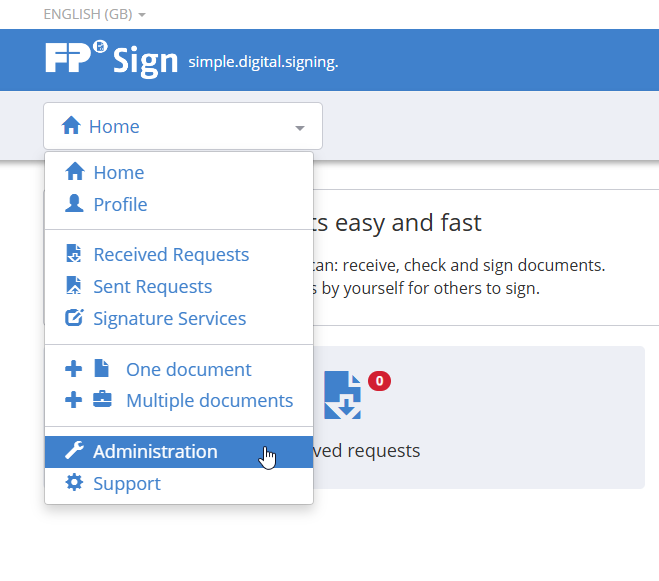
- Alternatively, you can also go through the dropdown menu of the FP Sign portal and select the bottom item Administration. You will now be redirected to the admin portal.
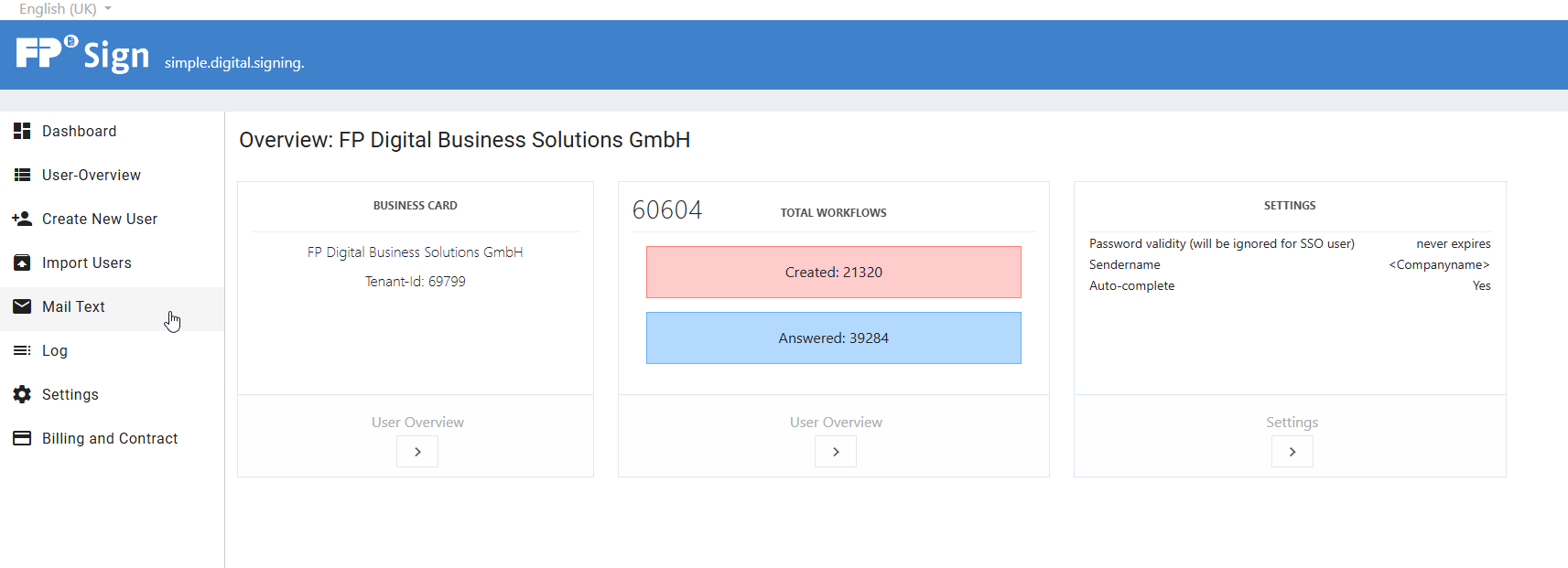
- In the left navigation bar of the admin portal, click on the menu item Email Texts.
- Expand the dropdown menu "Email Text Key" to see a list of all customizable email templates.
- Search for and select the desired text you wish to edit.
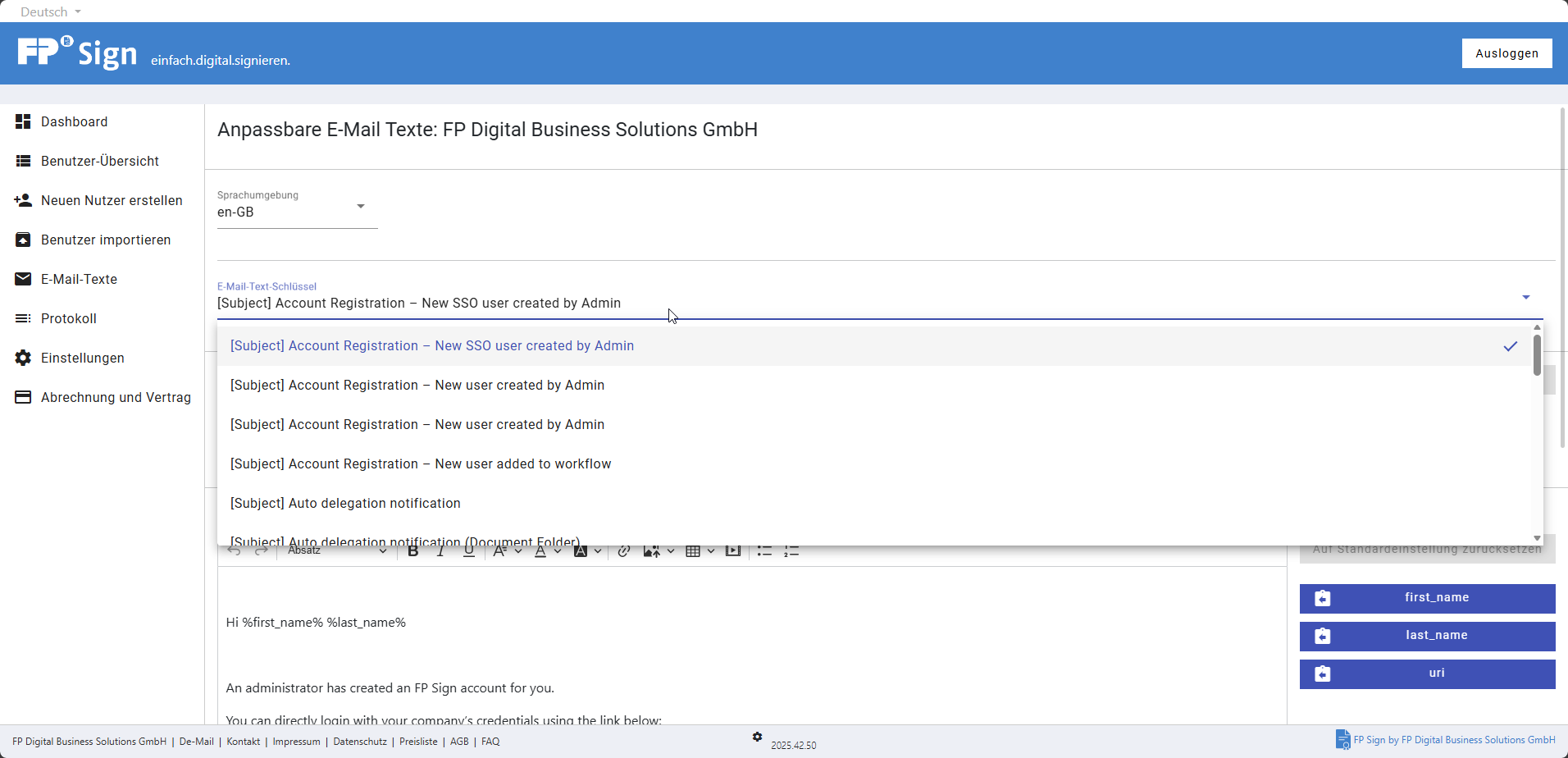
- Customize the content in the text editor according to your wishes.
- Editing works similarly to office programs. However, please refrain from editing the texts using copy and paste.
- Pressing Enter creates a new paragraph.
- Pressing Shift + Enter creates a single line break.
- The font size is fixed, but the font type (e.g., paragraph, heading) can be changed.
- To insert links and image files, please use the integrated tools.
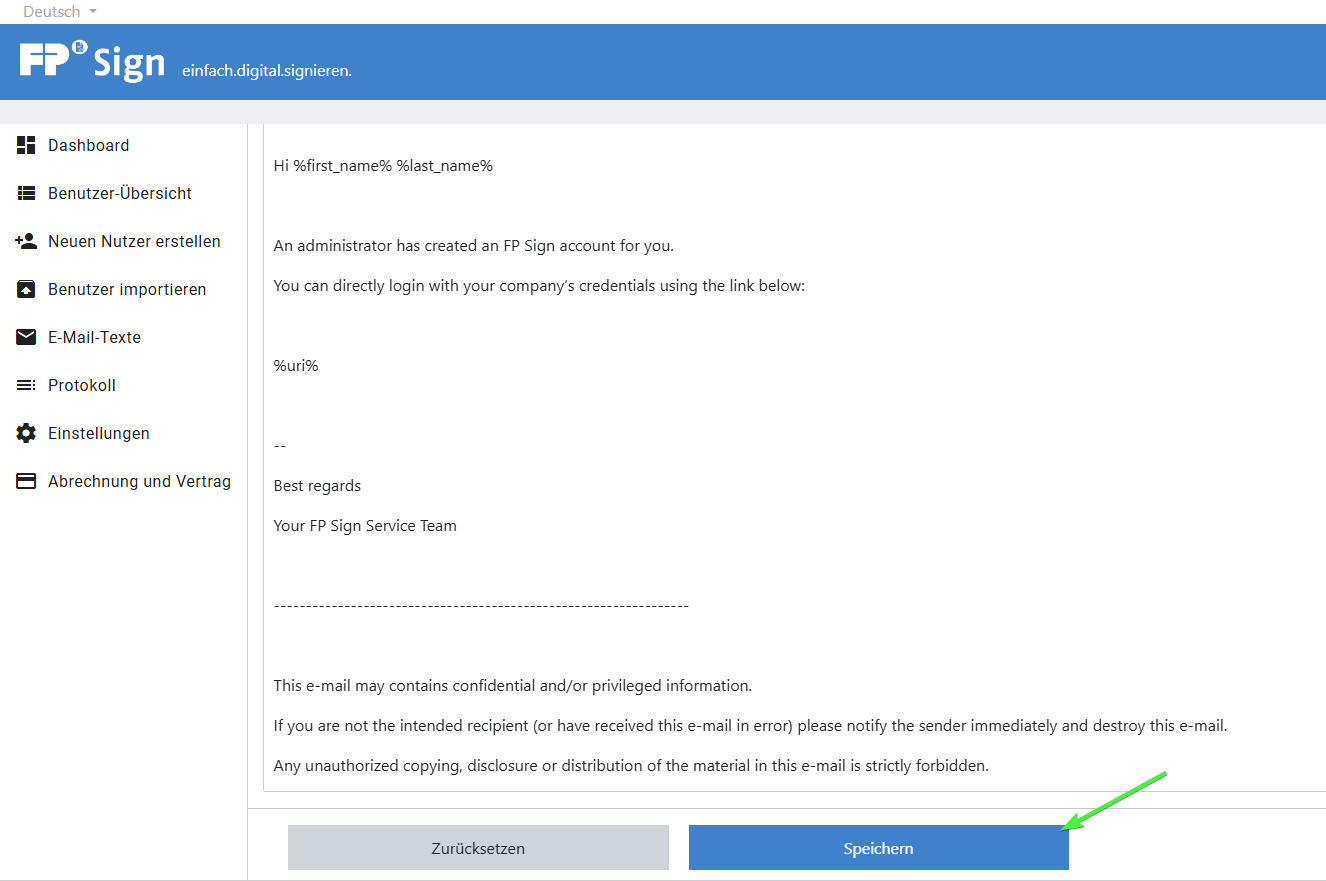
- Click the Save button at the very bottom of the page to apply your changes.
Important Email Text Keys (Examples)
Once you select an email text key, you can view and customize the content of the corresponding email. Useful keys for requests or reminders include, for example:
[Subject] New signature requestsubject.new_file_sign.workflow_group[Subject] Signature request for document[Subject] Reminder signature request for document[Subject] Reminder for countersignature[Subject] Reminder for countersignature for document folders
Further Support & Training
If you would like extensive consultation or personal training on the administration of FP Sign, you are welcome to book an appointment with our specialists:
Was this article helpful?
That’s Great!
Thank you for your feedback
Sorry! We couldn't be helpful
Thank you for your feedback
Feedback sent
We appreciate your effort and will try to fix the article